
iMobie Inc. today announced that AnyUnlock now supports iOS 27 for MDM bypass and removal, extending its Mobile Device Management tools to compatible iPhone and iPad devices running the latest iOS version. The update allows device owners and authorized administrators to address Remote Management screens and locally installed MDM profiles through guided desktop workflows.
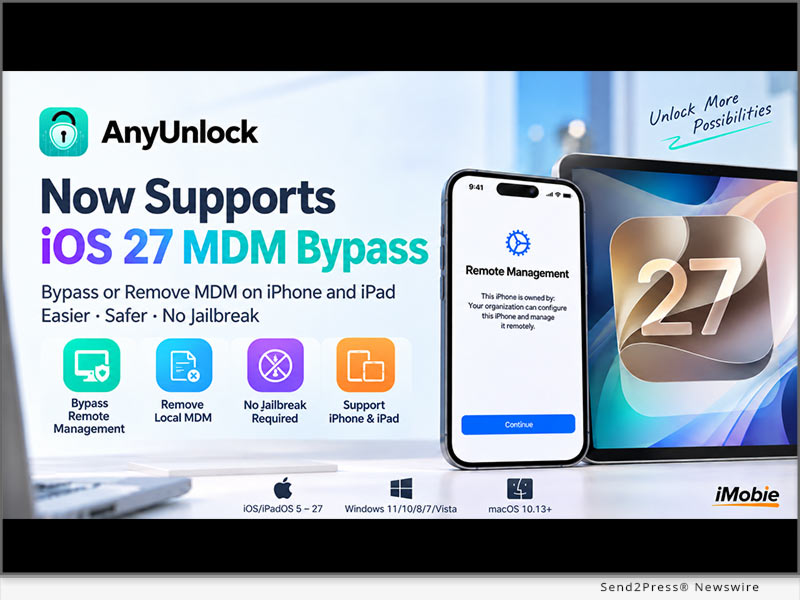
iMobie Inc. today announced that AnyUnlock now supports iOS 27 for MDM bypass and removal, extending its Mobile Device Management tools to compatible iPhone and iPad devices running the latest iOS version. The update allows device owners and authorized administrators to address Remote Management screens and locally installed MDM profiles through guided desktop workflows.
As businesses, schools, and other organizations continue to use Mobile Device Management (MDM) to configure iPhone and iPad devices, users may encounter a Remote Management screen after resetting, restoring, or setting up a previously managed device. AnyUnlock provides separate workflows for Remote Management bypass and local MDM removal, depending on how management is applied to the device.
“Major iOS updates can change how managed devices behave during activation and setup, so compatibility needs to evolve alongside the operating system,” said Frank Kong, CEO of iMobie. “With iOS 27 support, AnyUnlock continues to provide a clear and direct MDM workflow for device owners and authorized administrators.”
iOS 27 MDM BYPASS AND REMOVAL SUPPORT
The updated AnyUnlock MDM tools support compatible iPhone and iPad devices running iOS 27 and provide two primary workflows:
* Bypass Remote Management: For compatible devices that display the Remote Management screen during Setup Assistant, AnyUnlock can bypass the screen without requiring an MDM username or password.
* Remove Local MDM: If a local management profile is installed on the device, AnyUnlock can remove supported MDM management while retaining existing user content and settings.
* No Jailbreak Required: The supported MDM workflow does not require jailbreaking the iPhone or iPad.
* Guided Desktop Process: Users can run AnyUnlock on a Windows PC or Mac, connect the device through USB, select the appropriate MDM function, and follow the onscreen instructions.
For Remote Management bypass, the device may need to be reset, which can erase its content and settings. Users should back up important data when possible and review the onscreen requirements before beginning the process.
AnyUnlock Product information: https://www.imobie.com/anyunlock/iphone-password-unlocker.htm
HOW TO BYPASS MDM ON iOS 27 WITH ANYUNLOCK
The basic workflow includes:
1. Download and launch the latest version of AnyUnlock on a Windows PC or Mac.
2. Connect a compatible iPhone or iPad to the computer with a USB cable.
3. Select Bypass MDM from the AnyUnlock interface.
4. Choose Bypass MDM or Remove MDM, depending on the current management type.
5. Follow the onscreen instructions to start and complete the selected process.
For Remote Management bypass, users should confirm that the device has reached the Remote Management screen in Setup Assistant before beginning.
COMPATIBILITY AND PRICE
AnyUnlock currently supports iOS/iPadOS 5-27 across compatible iPhone, iPad, and iPod touch devices. The desktop software supports Windows 11, 10, 8, 7, and Vista (64-bit), as well as macOS 10.13 or later.
For MDM bypass, the current 1-month plan starts at $35.99. Pricing may vary depending on license duration, device limits, and available promotions. Users should refer to the official AnyUnlock purchase page for the latest pricing and plan details.
ABOUT iMOBIE
iMobie Inc. develops software tools for iPhone, iPad, Android, and other digital devices, helping users address common needs related to device management, data management, system maintenance, and device access.
Its products include AnyUnlock, an iPhone and iPad utility that supports multiple device access and management scenarios, including screen passcodes, Apple ID, MDM, Screen Time passcodes, backup encryption, and other supported lock types.
More information: https://www.imobie.com/
YouTube: https://www.youtube.com/@iMobieInc
Related link: https://www.imobie.com/
This version of news story was published on and is Copr. © Publishers Newswire™ (PublishersNewswire.com) – part of the Neotrope® News Network, USA – all rights reserved. Information is believed accurate but is not guaranteed. For questions about the above news, contact the company/org/person noted in the text and NOT this website.